


It may take a couple of minutes for the site to become available.
Deploy static sites to GitHub Pages
The goal of this exercise is to deploy a static website (only HTML, JavaScript and CSS) on GitHub Pages, a static site hosting service, instead of your own server in the Infrastructure-as-a-Service (IaaS) Microsoft Azure Web Services cloud.
On this page
Table of contents
 Legend
Parts of this exercise are annotated with the following icons:
-
 A task you MUST perform to complete the exercise
-
 Optional step that you may perform to make sure that
everything is working correctly, or to set up additional tools that are not required but can
help you, or optional extra exercises to explore the topic further
Optional step that you may perform to make sure that
everything is working correctly, or to set up additional tools that are not required but can
help you, or optional extra exercises to explore the topic further
-
 Advanced tips on how to go further (or
challenges!)
Advanced tips on how to go further (or
challenges!)
 The end of the exercise
-
 The architecture of the software you ran or
deployed during this exercise
The architecture of the software you ran or
deployed during this exercise
-
 Troubleshooting tips: how to fix common problems you might
encounter
Troubleshooting tips: how to fix common problems you might
encounter
Fork the clock project
Fork the static clock website repository:
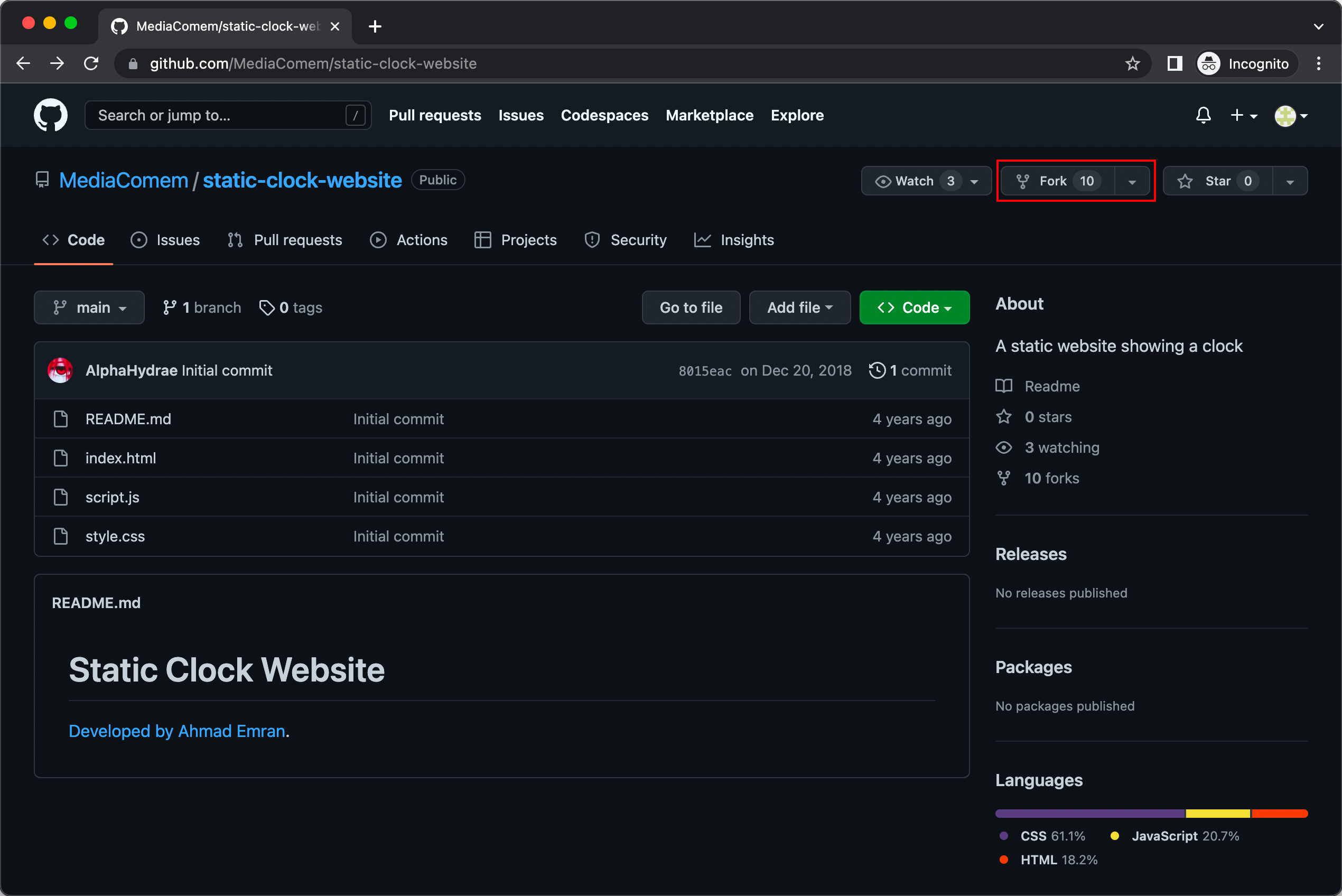
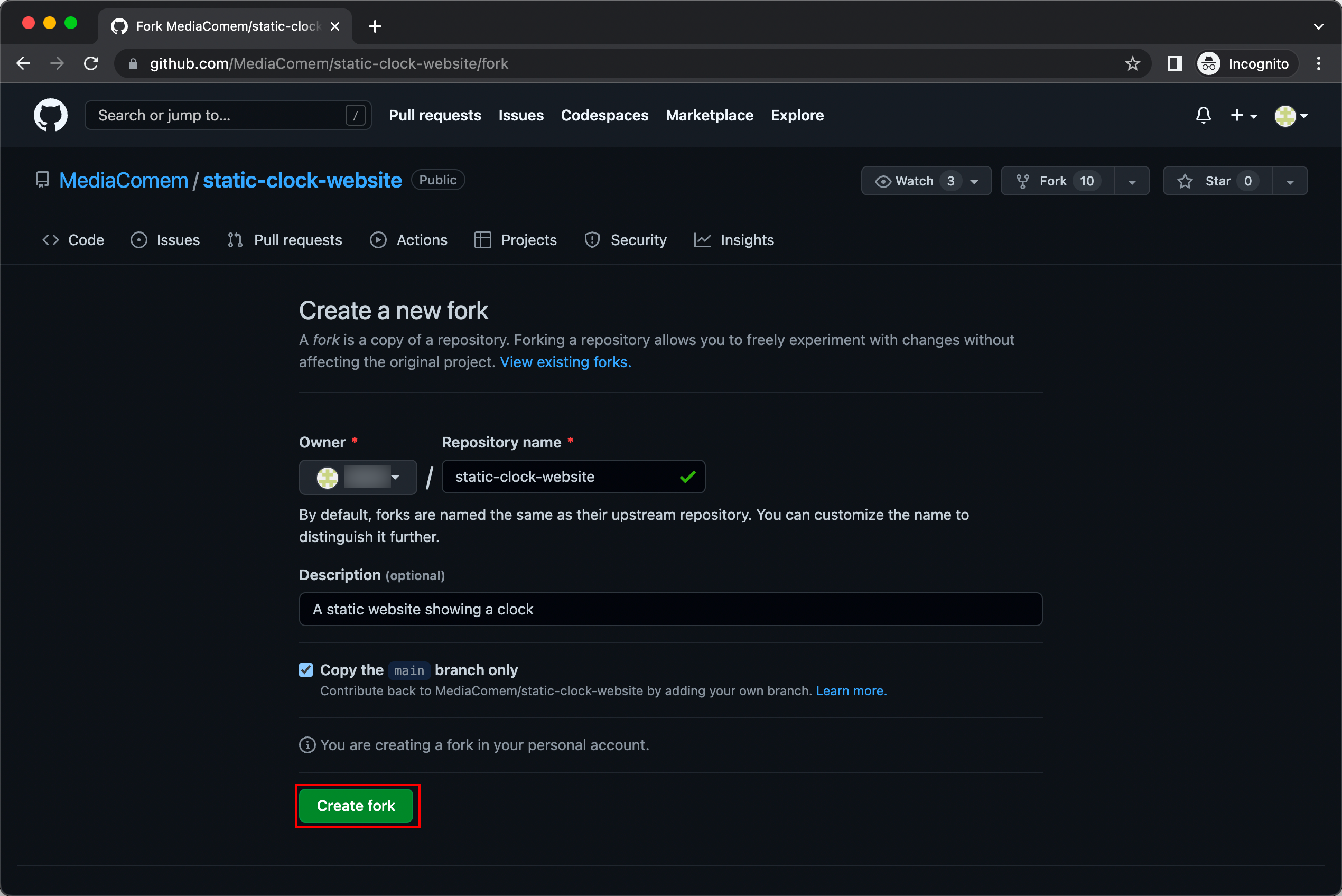
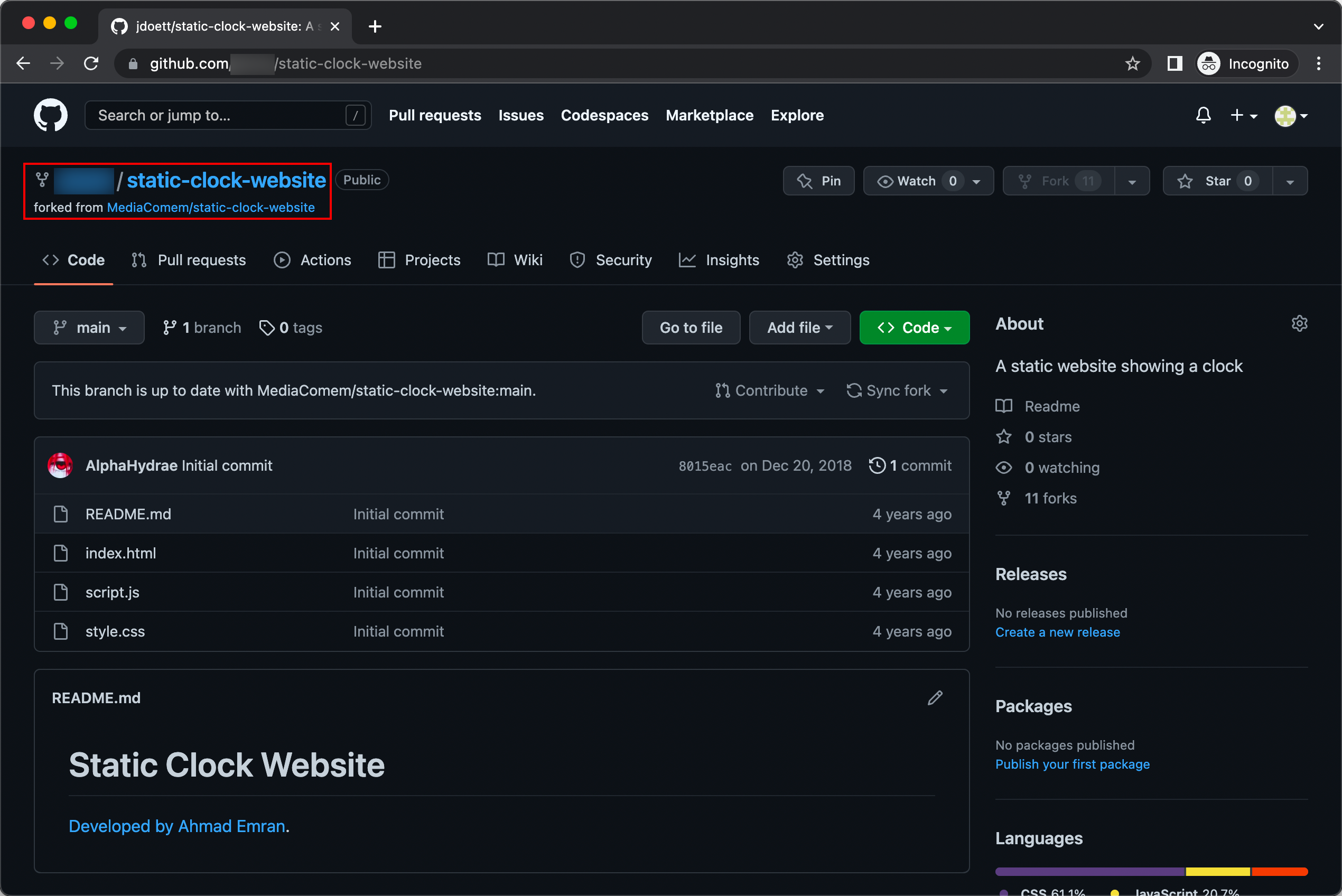
Once that is done, you should have your own copy of the clock repository under your GitHub username:
Configure GitHub Pages
Go to the Pages Settings and configure GitHub Pages to deploy the root of
the main branch:
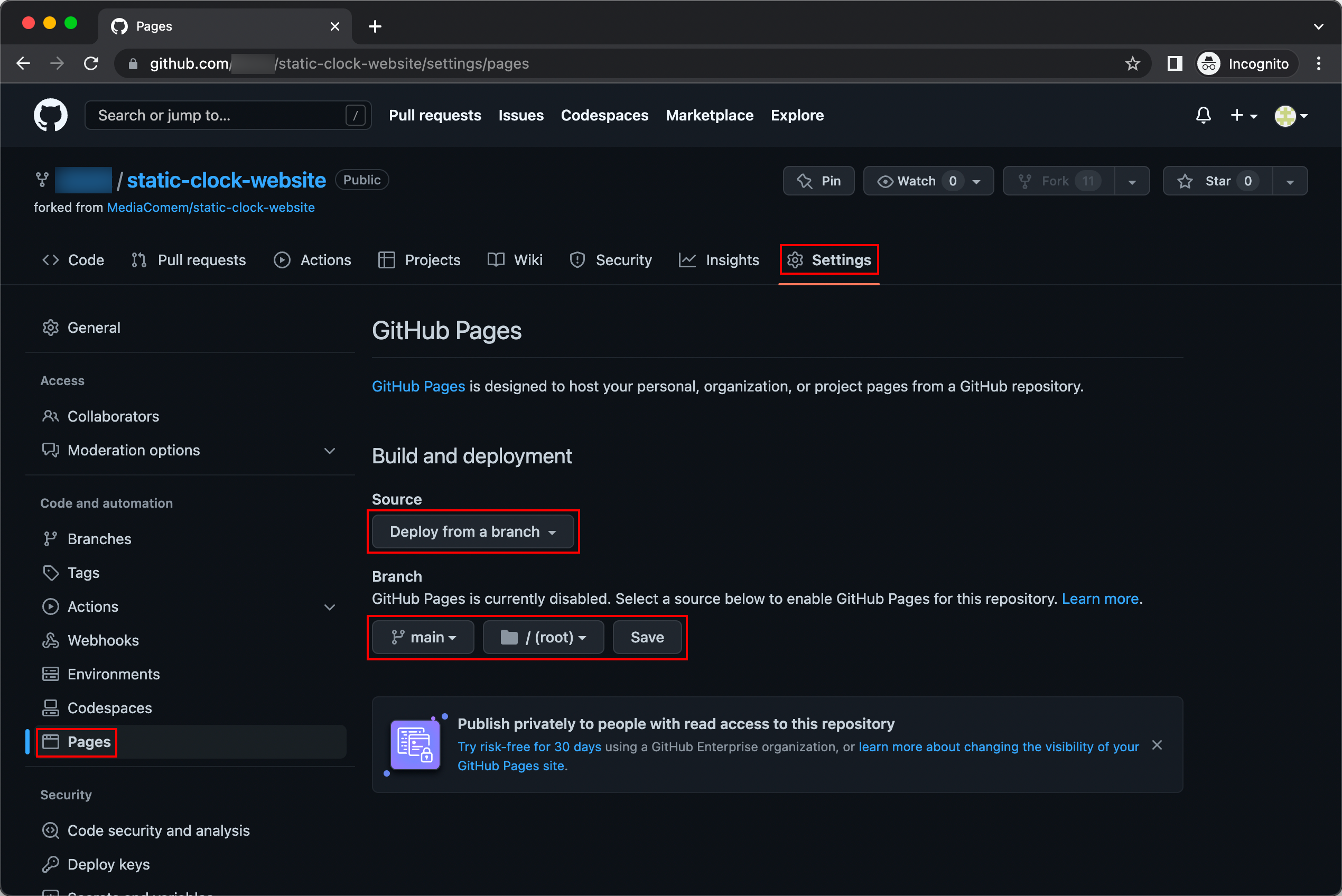
Save the changes.
What else?
You’re done! It’s as simple as that.
You should be able to access your deployed static website at
https://JohnDoe.github.io/static-clock-website (replacing JohnDoe with your
GitHub username).
 Tip
Tip Make a change to test the automated deployment
If you push a new commit to your repository (or make one on GitHub), you can see that the new version will be automatically deployed!
TipIt can take a couple of minutes for new commits to be deployed by GitHub Pages.
What have I done?
In this exercise, you have deployed a static website to GitHub Pages, a static site hosting service and a type of PaaS platform, using nothing but the web interface provided by GitHub. You did not have to do any of the following:
- Hosting
- Reverse proxying
- TLS encryption
- Automated deployments
- Domain name
GitHub Pages is free for public repositories. Read their documentation for more information.